Living Scriptures
- 4.6
- Rating
- 100.00K
- Installs
- Free
- Price

 Analysis by App-foxy
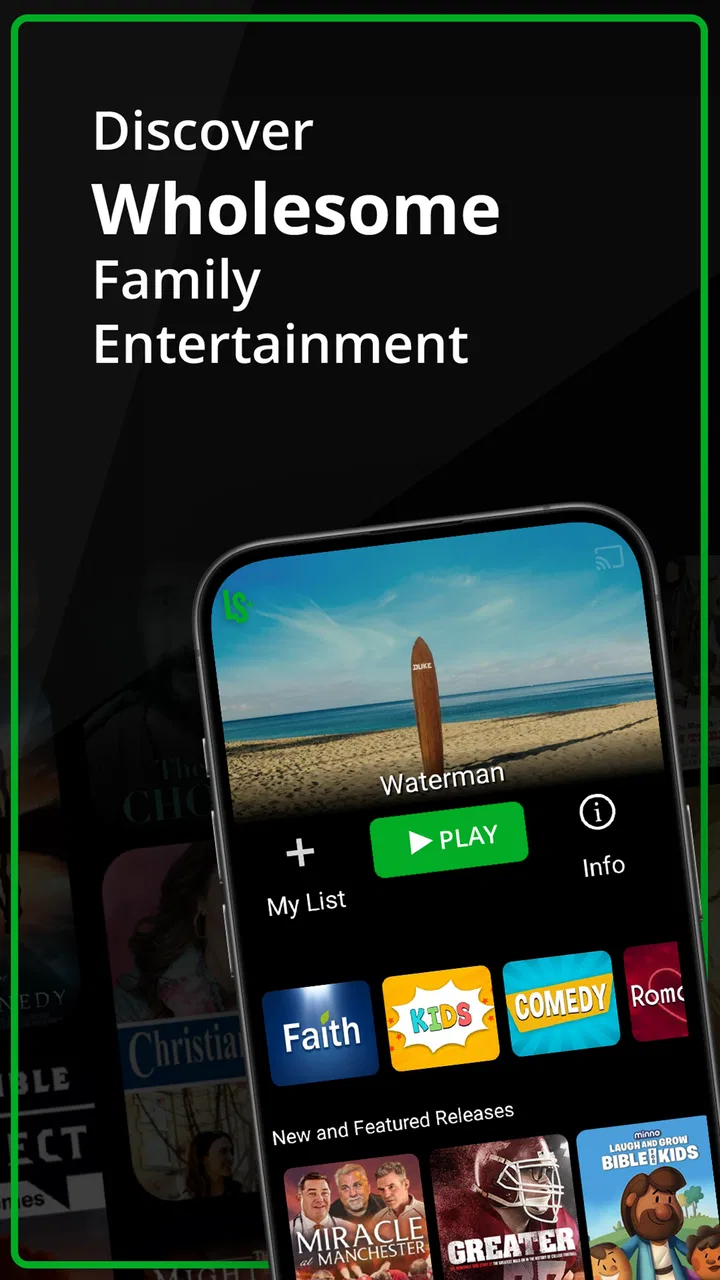
I approached Living Scriptures as a family video app rather than as another general streaming service. That distinction matters. Its focus is faith-based viewing and values-oriented teaching, so the useful question is not whether it can replace every video platform on a phone. The better question is whether it gives a parent, grandparent, teacher, or household a more intentional starting point when the goal is to choose something meaningful to watch together.
Created by Living Scriptures, the app sits in the Video Players & Editors category, although its real purpose is closer to a curated viewing library than to an editing tool. It is free to install, carries an Everyone 10+ content rating, and has reached over 100 thousand installs. I found that combination appealing for families who want to explore the service without committing money immediately, while also keeping in mind that optional in-app purchases range from about one dollar to nearly ninety-five dollars per item.
From an ordinary family moment to a shared viewing choice
My imagined starting condition was familiar: a child has finished homework, dinner is over, and someone asks for a video. Opening a broad service usually creates a second problem. There may be too many choices, mixed age suitability, or a long search before anyone agrees. Living Scriptures is designed to narrow that decision around teaching values and religiously oriented entertainment. That narrower purpose is its main strength, but it also means the app is not trying to serve every household equally.
You May Also Like

 Blood Strike: 2.5 Anniversary
Blood Strike’s Loadouts Turn Every Drop Into a Tactical Gamble
A close look at Blood Strike’s custom loadouts: how fast access to signature weapons reshapes its battle royale rhythm, rewards preparation, and narrows the gap between fights.

 Pandora - Music & Podcasts
Pandora’s Music Is Easy to Start, but Harder to Recover
Pandora’s strength is its low-effort path from a seed to a station. Its weak spot is how much confidence it asks you to place in connection, setup, and quiet recovery.

 8 Ball Pool
 Is Built on Rivalries, Rematches, and Routine
A close look at the rivalries, rematches, shared routines, and unanswered safety questions that turn a quick pool match into a persistent mobile community.

 Samsung Music
’s Quiet Strength Is Playing What You Already Own
Its reach comes less from spectacle than from dependable access to a personal library. That simplicity is both the app’s strongest retention engine and its ceiling.

 AccuWeather: Weather Radar
AccuWeather Review: A Quick, Clear Forecast for Everyday Decisions
For everyday plans, the best forecast is the one you can understand quickly. AccuWeather makes rain timing, radar, and local conditions easy to act on, with a few trade-offs.

 Hill Climb Racing
Why Hill Climb Racing Still Turns Crashes Into One More Run
A tiny car, a bumpy hill and one more upgrade: Hill Climb Racing keeps resurfacing because its simple chaos makes every near-miss feel personal.
More From Our News Desk
View All News


The developer’s store summary, “Teaching Values, Changing Lives,” gives a clear sense of the intended experience without telling me exactly how every viewing session will unfold. In practice, I would treat the app as a destination for deliberate selection: decide what kind of lesson or story fits the moment, browse the available material, preview enough to judge the match, and then hand the device or screen to the person who will watch. That workflow feels more manageable than handing a young viewer an unrestricted video search box.
The app has been available since April 29, 2015, and its current version is 4.71. It supports devices running Android 5.0 or later. Those details make it accessible to people who keep an older phone or tablet for children, although compatibility alone does not guarantee that an older device will feel equally quick or comfortable. I would check the device before planning a long family session, especially if the phone is already used for storage-heavy apps.
Choosing the right viewer before pressing play
The first practical step is deciding who the content is for. The age label of Everyone 10+ is useful as a broad signal, but I would not treat it as a substitute for a parent’s judgment. A ten-year-old, a teenager, and an adult can react very differently to religious instruction, historical themes, or dramatic storytelling. I would sit with a younger child for the first few selections rather than assuming the rating answers every question.
This is also where Living Scriptures differs from a general video app. On a mainstream platform, the challenge is often filtering away material that does not fit the family. Here, the challenge is deciding whether the app’s particular religious perspective and teaching style fit the family in the first place. For households already looking for that perspective, the narrower scope can save time. For households wanting neutral documentaries, current entertainment, or a broad mix of creators, it may feel restrictive from the first screen.
I would also decide whether the session is meant to entertain, teach, or open a conversation. That small distinction changes how I use the app. A short selection before bed needs a different level of involvement than a weekend family discussion. If the goal is conversation, I would avoid treating the video as background noise and instead choose one topic that gives everyone something specific to discuss afterward.
Moving from browsing to a deliberate selection
Once the audience and purpose are clear, the next step is browsing. The app’s value is not simply that it plays video; many apps do that. Its value is the possibility of reducing the distance between “we want something appropriate and worthwhile” and “we have found a reasonable choice.” I would use the title, description, and visible context to make a decision rather than scrolling indefinitely.
A useful habit is to make the selection before handing over the device. Children often turn a viewing request into a negotiation when they are allowed to browse without a plan. I would inspect a few options myself, choose one or two, and then let the child participate in the final choice. That preserves some independence without making the entire session depend on endless browsing.
For a lesson-based evening, I would keep a simple sequence: choose the theme, watch attentively, pause for a question, and connect the message to something that happened during the day. The app does not need to carry the whole educational experience by itself. In my view, it works better as the video part of a larger routine than as a complete replacement for conversation, reading, or personal guidance.
Another practical tip is to avoid judging the service after only one title. A values-focused library can vary in tone, pacing, and appeal. One program may suit a child who likes stories, while another may be better for an older viewer who is comfortable with direct instruction. I would test several kinds of content before deciding whether the library fits the household.
The handoff from adult choice to child viewing
The handoff is where many family apps either become convenient or create friction. With Living Scriptures, I would make the adult selection first, explain why it was chosen, and then give the viewer a clear expectation: watch this selection, notice one idea, and talk about it afterward. That approach keeps the app from becoming an automatic reward with no context.
For grandparents or relatives, the handoff may happen remotely or through a shared device. In that situation, the app can serve as a common starting point for a conversation, but the adult should still introduce the video in their own words. Saying “this reminded me of something we talked about” is more engaging than simply sending a title with no explanation.
Teachers and youth leaders should think about the handoff differently. A video may support a lesson, but it should not be assumed to match a particular group’s background, attention span, or beliefs without preparation. I would preview the material, identify the point I want students to notice, and have a backup discussion ready in case the video does not land as expected.
This is one of the app’s less obvious trade-offs. A curated values-based service can reduce search effort, but it may increase the need for personal framing. A general platform gives you more variety and often more familiar formats; Living Scriptures gives a more focused starting point, yet the adult still has to decide how the message belongs in the family’s own setting.
What the viewing result feels like
The best outcome is not merely that a video finishes. It is that the household gets a calmer choice and a useful conversation afterward. If a child can describe the lesson, ask a question, or connect the story to real behavior, the app has done something more valuable than filling a quiet half-hour. That is where the “teaching values” idea becomes practical rather than just a slogan.
I would measure success by the quality of the follow-up, not by how long the viewer stays inside the app. After watching, I might ask what the main character did, whether the decision was easy, or how the same situation could appear at school. These questions turn passive viewing into a shared activity and help reveal whether the selected program was suitable.
There is also a useful role for the app in households with different ages. A parent can choose a title for younger viewers while an older sibling watches something more suitable to their maturity. The service is unlikely to eliminate all disagreements, but its focused subject matter can make the conversation about the message and age fit rather than about avoiding an endless stream of unrelated recommendations.
The app’s public reception suggests that many people find the concept worthwhile: it holds an average rating of 4.6 from around 5.2 thousand ratings, alongside roughly 1.9 thousand written reviews. I see that as encouraging, but not decisive. Ratings tell me that the service has connected with a substantial audience; they do not tell me whether its religious approach, presentation style, or available library will suit my particular family.
Where the workflow becomes less comfortable
The first break in the flow is fit. If I want the breadth of a conventional streaming platform, Living Scriptures will feel too specialized. It is not the app I would choose for the latest mainstream films, unrelated hobbies, user-generated clips, or a wide selection of neutral educational subjects. Its focused identity is helpful only when that identity matches what I am looking for.
The second break is the possibility of cost confusion. The app itself is free, but in-app purchases can cost from $0.99 to $94.99 per item. I would pay close attention before confirming any optional purchase and make sure the person using a shared device understands that free installation does not mean every part of the service is free. This is especially important on a child’s tablet or a family account where purchase controls may matter.
The third break is the difference between a content rating and personal approval. Everyone 10+ is a useful starting point, but it does not tell me whether a particular program matches my child’s emotional maturity or our family’s beliefs. I would preview unfamiliar material and avoid using the rating as the only decision-making tool.
There can also be a workflow problem when the adult is in a hurry. A curated app still requires selection. If I open it expecting instant background entertainment, I may be disappointed when the real benefit comes from choosing thoughtfully. The service rewards involvement more than autopilot use, which is positive for intentional family time but less convenient for someone who simply wants a random video.
How it compares with familiar alternatives
Compared with broad streaming services, Living Scriptures offers a smaller conceptual lane and a clearer values-oriented purpose. A general service wins on variety, familiar entertainment, and the ability to switch between many genres. Living Scriptures wins when I want the search itself to begin inside a religious and educational framework rather than sorting through a huge mixed catalog.
Compared with free video platforms, the difference is even sharper. Open platforms may provide more spontaneous discovery, but they also place more responsibility on the adult to inspect recommendations, channels, and surrounding content. Living Scriptures is more suitable when I want a controlled starting point for a family session. I would still supervise younger viewers, but I would not use it expecting the same endless, algorithm-driven exploration.
Compared with a dedicated classroom video resource, the app feels more personal and household-oriented. A teacher may need curriculum alignment, lesson references, or precise classroom controls; a family may care more about finding a story that encourages a conversation at home. If I were preparing a formal lesson, I would evaluate each selection carefully instead of assuming the app alone provides the structure.
The choice between these alternatives depends on the handoff. If I am handing a child a device for independent browsing, a focused service may be preferable to a completely open platform. If I am sitting beside the child and searching together, a broader service may offer more options. If I need a video for a specific educational objective, I may prefer a resource built around that objective rather than a general faith-based library.
Small habits that make the app more useful
I would create a repeatable viewing ritual instead of opening the app only when everyone is bored. A weekly family evening, a short discussion after a difficult day, or a grandparent-child viewing tradition gives the service a purpose. The app becomes easier to evaluate when it has a defined role rather than being compared with every entertainment option on the phone.
I would also keep the adult in charge of the first selection while allowing the child to make a limited choice. Offering two suitable options is more practical than asking an indecisive viewer to search the entire library. This reduces browsing friction and makes the handoff feel collaborative rather than imposed.
For group use, I would prepare one question before starting. It could concern a character’s decision, a value shown in the story, or a situation that resembles everyday life. That single question changes the viewing posture: people watch for an idea they can explain, not just for the next scene.
Finally, I would review the purchase path before sharing the device. Since optional items can have a wide price range, a quick check of how purchases are handled is sensible. This is not a reason to avoid the app, but it is a reason to treat the free download and the broader service experience as two separate decisions.
Who should install it, and who should pass
I would recommend Living Scriptures to families and individuals who actively want faith-centered videos with a teaching or values-based purpose. It is also worth considering for grandparents looking for a shared discussion topic, parents who prefer a narrower viewing environment, and adults who want to make video time more intentional. The free entry point makes it reasonable to explore before deciding whether the available material feels relevant.
I would be more cautious if the main requirement is a huge entertainment catalog, completely secular programming, professional classroom tools, or unrestricted independent discovery. Those users may be happier with a mainstream streaming service, a general video platform, or a purpose-built educational resource. The app’s specialization is not a flaw, but it is a clear boundary.
My overall impression is that Living Scriptures works best when I treat it as a guided family resource rather than a universal video player. The developer has built its identity around teaching values, and the app’s strongest result comes when a viewer, an adult, and a follow-up conversation are all part of the same workflow. It is free to begin, accessible on older Android versions, and supported by a solid 4.6 average, but those facts matter less than whether its perspective belongs in your home.
In the end, I would install it for a household that wants help turning screen time into a values-focused shared activity. I would not install it expecting it to replace every other video app. Used with a little preparation, it can make the path from “what should we watch?” to “what did we learn?” much shorter. Its real strength is not endless choice; it is giving a family a more purposeful choice to make.
FAQs for Living Scriptures
01What is Living Scriptures?
Living Scriptures is a family-focused Christian streaming and media app offering faith-based movies, animated Bible stories, educational programs, music, and other inspirational content. Its library is designed for children, teenagers, and adults, with an emphasis on wholesome entertainment and religious teaching. Availability and the exact selection may vary depending on your region and subscription plan.
02Is Living Scriptures free to download and use?
The Living Scriptures app may be downloaded at no initial cost, but access to its complete content library generally requires a paid membership or subscription. Some services may offer a trial period, promotional access, or selected free titles, although these offers can change. Before subscribing, review the current pricing, renewal terms, and cancellation policy shown in the app or official store listing.
03What kind of content can families watch on Living Scriptures?
The platform focuses on Christian and family-friendly programming, including Bible-based stories, animated lessons, inspirational films, historical productions, children’s shows, and educational material. It is intended to provide an alternative to general entertainment services, but parents should still review individual titles because age suitability, themes, and religious messages can differ across the catalog.
04Does Living Scriptures support offline viewing and multiple devices?
Depending on the current app version and membership terms, Living Scriptures may allow subscribers to watch content on supported phones, tablets, smart TVs, or other compatible devices, and some titles may be available for offline playback. Device limits, download availability, and simultaneous streaming rules can change, so check the account and subscription information before relying on the service while traveling or without an internet connection.
05Is Living Scriptures suitable for children, and are parental controls available?
Living Scriptures is primarily designed with families and children in mind, making it a suitable option for parents seeking faith-centered entertainment. However, not every program will appeal to every age group. Families should explore the descriptions and ratings before watching. If parental profiles, restrictions, or child-friendly browsing tools are offered, configure them carefully because features can vary by platform and region.
Pros
- Large library of faith-based videos
- stories
- and educational content
- Simple interface makes it easy for families to find suitable programs
- Includes content for children
- teens
- and adults
- Supports offline viewing for selected videos on mobile devices
- Regularly adds new programs and inspirational material
Cons
- Most content requires a paid subscription after the trial period
- Availability of titles may vary by country or region
- Some videos may take time to load on slower connections
- Limited appeal for users outside the LDS and Christian audience
- Offline downloads can use significant storage space

Living Scriptures
Gallery